Importing Internal Orders from Flex into Xero:
- All Internal Orders (Between stores) need to be imported into Xero
- Log in at: https://orders.alowishus.com.au/admin/ (you will have been given the password via lastpass)
- Click on Orders (left hand menu)
- Filter your search using ‘ALOWISHUS’
- Find and select the orders you wish to import (check the box)
- Click “Import to Xero” on the top right hand side
- Check that the mapping is all correct the click “Proceed to Import”
- The invoices will start to land in Xero now, this may take 5-10 minutes
- Once the invoices have imported into Xero you can send bills to the other entities via the Xero Network
- In Flex right click on each order and open into a new tab
- Visit each tab and Click ADD PAYMENT to the right above the date
- Choose today’s date
Sending Bills from Intrepid Xero to Internal Customers
- Internal Customers are:
- Alowishus Bundy
- Alowishus Maryborough
- Alowishus Hospital
- Berts
- In Xero, click on ‘Invoices Owing to You – Awaiting Payment
- You then need to right click on every UNSENT invoice and open them in a New Tab
- We need to amend the invoices with the correct sales code, as they all come in with the default code of Internal GNG Items
- NB: Many of the invoices will only include GNG items, and you will not need to amend the invoice, so simply close the tab
- For those that have NON GNG Items, edit the invoice and apply the following codes:
- Gelato: Sales – Internal Gelato
- Cakes & Slices – Internal Baked Goods
- Coffee/Syrups/Tea/Choc & Chai Powder, Espresso Coffee Cleaner: Sales – Coffee
- Labels and Stickers, Napkin, Cups, Spoons, Wrap Packets, Gelato Take Home Packs: Internal Packaging
- Lemon Concentrate/Iced Tea/Cones/Waffle Cone-Carton/Spices/Dressing/Rubicone Vanilla, Spice Mix: Internal Food and Beverage
- Receipt rolls, Cards -209 – Sales – Internal Stationary / Printing
Add Payment – Bulk Pay option:
- Go to Flex website and log in
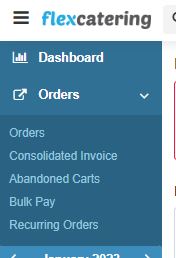
- Click on “Orders” and select “Bulk Pay” from the drop-down menu
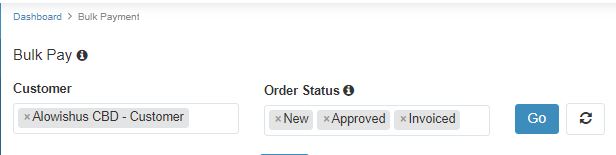
- Type the store you are working on then click “Go” blue button:
Alowishus CBD Bundy,
Alowishus Maryborough,
Alowishus Hospital, or
Berts
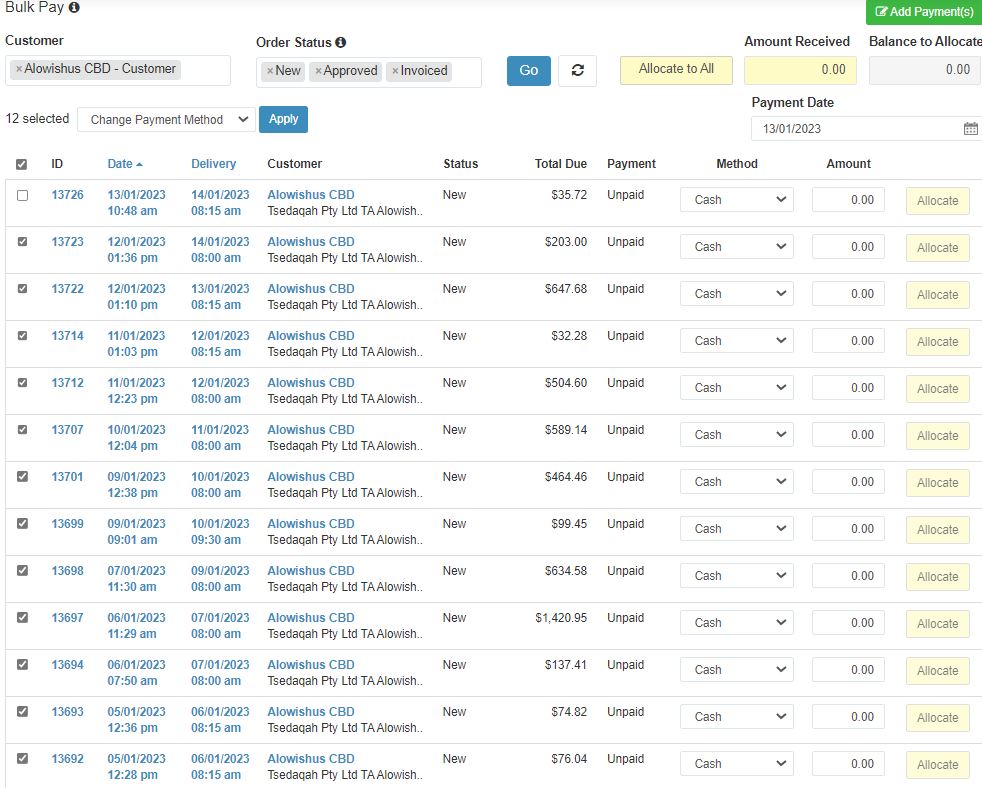
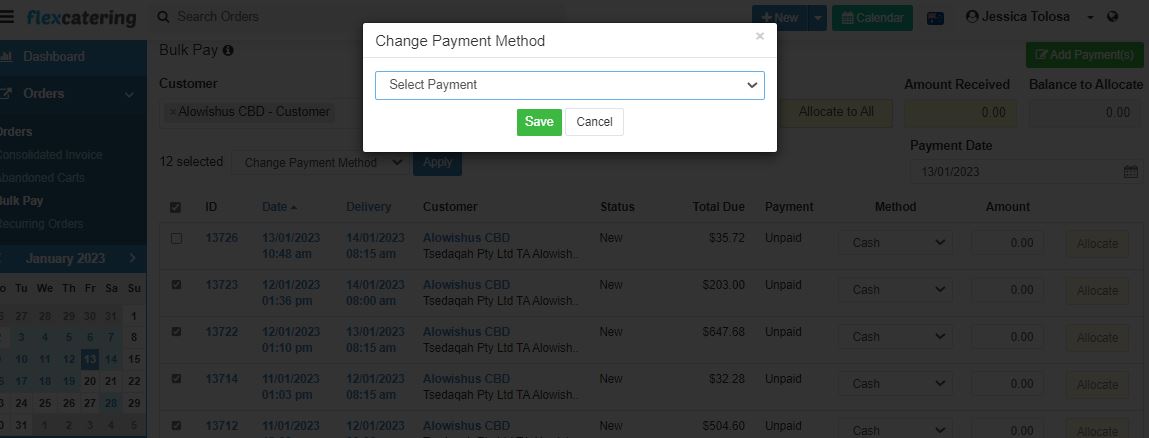
- Check the boxes of the Invoice numbers you will apply payment to. Change the Method by cliciking on the down arrow beside Cash, and select “Bank Transfer”. Input each of the invoice’s amounts.
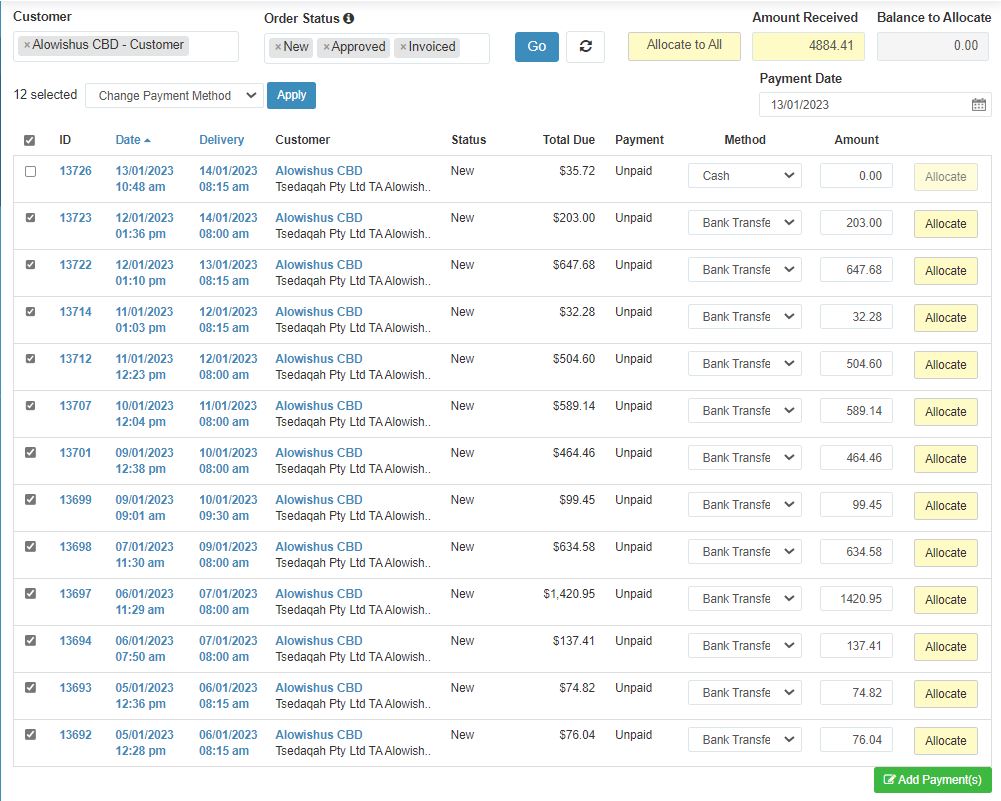
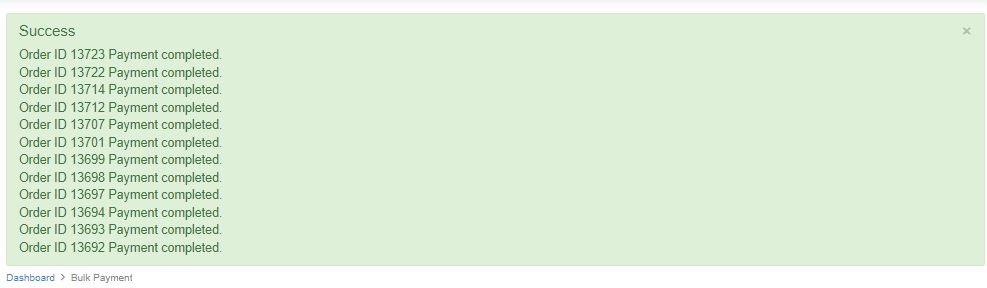
- Click “Add Payment”. It will show a green notification box at the top of the page once successful.